Terrain-native setup
Turn living and excluded TerrainLayers into a deterministic field through one guided renderer workflow.
Kiwi Grass
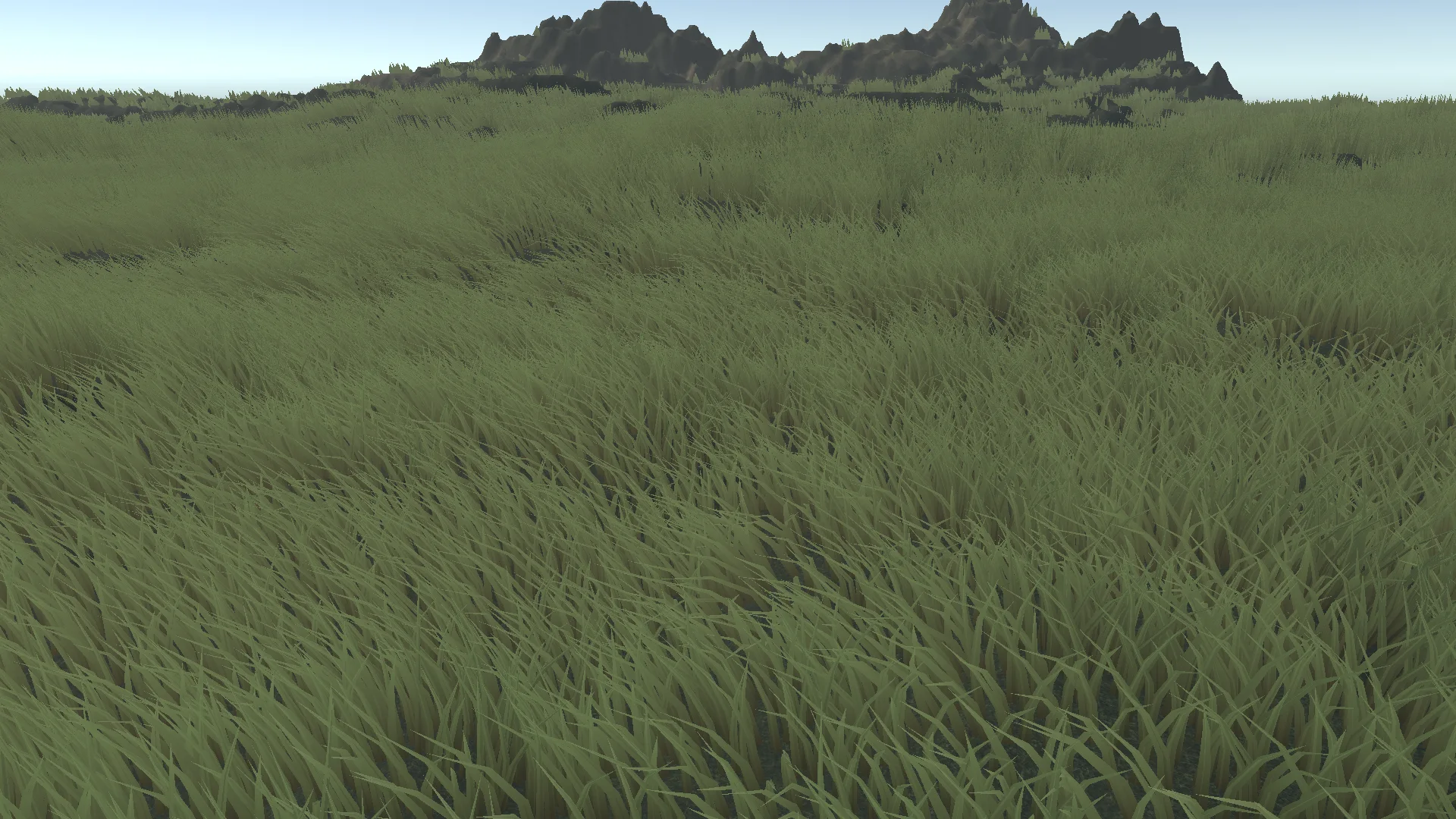
Available nowBuild dense, responsive grass from Unity TerrainLayers. Shape up to four species, add collider-driven interaction, and scale the field with shared runtime quality levels.
Fab AvailableUnity Asset Store Available
Version 26.9.0 · Watch the 10-second grass demo
See the validation guide for exact tested editors and separately labeled historical performance references.
See it in action
10-second grass demo · silent · plays when you choose.
The camera moves across a grassy terrain, revealing dense blades, wind movement, uneven ground, and a painted bare patch. The clip is silent. Recorded with Unity Recorder in Unity 6000.4.0f1 using the 26.8.0 grass showcase and a cinematic grade. It demonstrates appearance, not current-release performance.
one connected field workflow
Kiwi Grass connects TerrainLayer-driven placement, deterministic field generation, artist-authored masks, local influence volumes, interaction, quality scaling, persistent data, diagnostics, and reproducible performance capture in one URP package.
Turn living and excluded TerrainLayers into a deterministic field through one guided renderer workflow.
Compose stable-ID species inside one shared blade budget instead of duplicating complete fields.
Paint density, height, dryness, and wind response, with bounded updates for changed regions.
Bend, flatten, sweep, hold, and recover grass from collider-driven sources.
Use four geometry tiers, layered wind, motion vectors, shadows, and High, Medium, Low, and Off runtime levels.
Inspect blade, chunk, command, memory, culling, and capture data with built-in diagnostics and fixed-camera tools.
guided authoring
Assign grass-bearing and excluded surfaces.
Start with Current Look or the heavier Cinematic presentation.
Paint the control map, add local volumes, or compose multiple species.
Attach stomp sources to moving collider objects.
Select a runtime quality level, inspect diagnostics, and capture the target Player.
four geometry tiers
Four geometry tiers preserve close blade shape while transitioning into stable mid and far coverage. Desktop Automatic Hi-Z activates only on supported, stable, profitable views and otherwise falls back to the normal renderer.

configuration-specific reference evidence
Kiwi Grass reports whole-frame timing separately from grass cull and command preparation, buffer upload, indirect submission, visible work, GPU memory, and steady managed allocation. The values below predate the current release and sample move. They describe specific historical test configurations.
Windows 11 build 26200 · Unity 6000.4.0f1 · URP 17.4.0 · 1920 × 1080 · NVIDIA driver 610.47
Unity 6000.4.0f1 · URP 17.4.0 · 1920 × 1080 · GrassDemo300
*Measured inside the configuration-specific grass render loop. Player performance was measured on Unity 6000.4. The wider Unity 6000.0+ matrix validates package resolution, compilation, shader import, release checks, and EditMode behavior on the named editors.
See benchmark methodology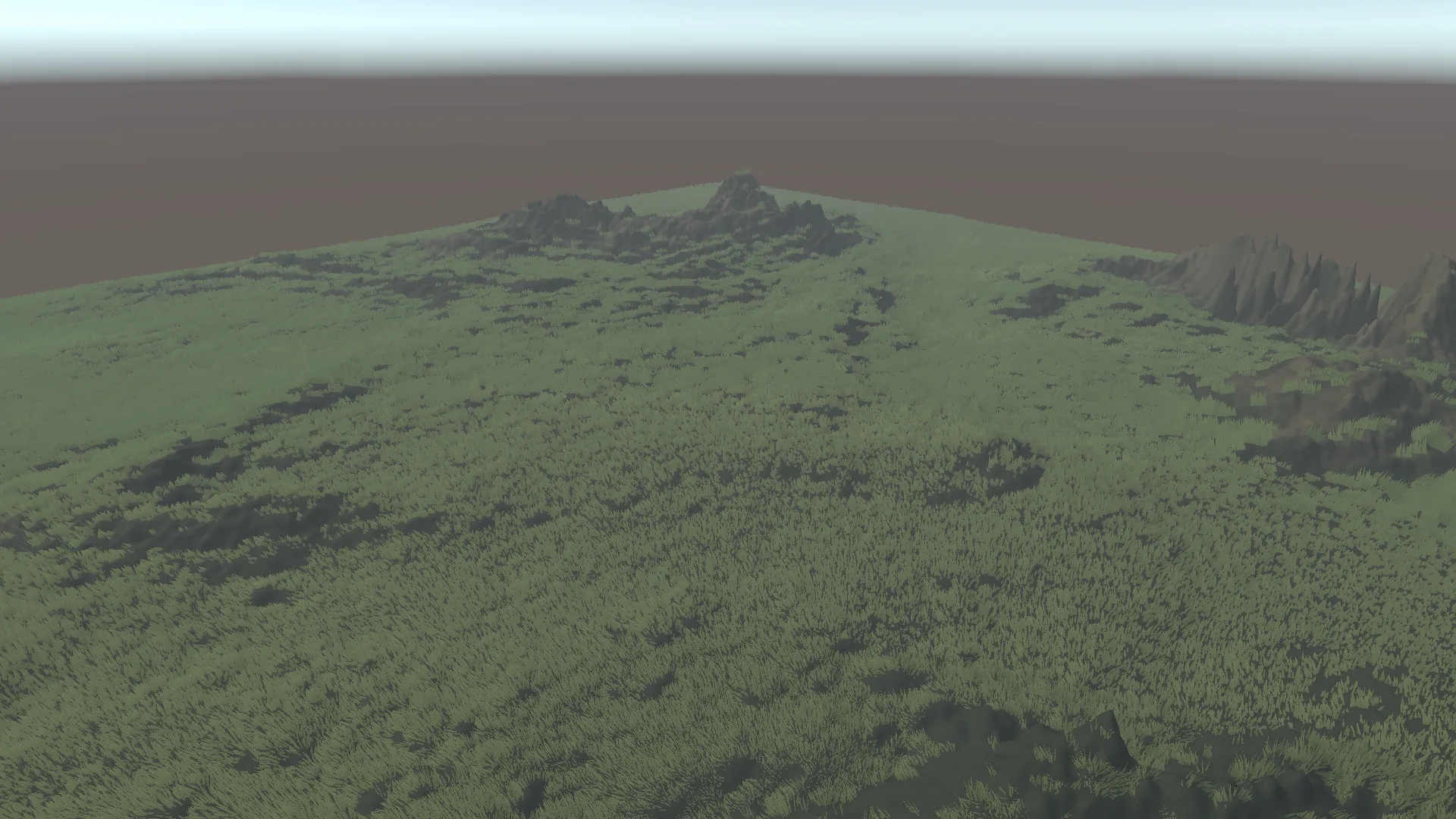
sample and documentation
The Cinematic Grass Showcase combines Quick Setup, a two-species meadow, runtime TerrainLayer painting, collider interaction, quality switching, and performance inspection in one self-contained sample.
ship against an explicit boundary
common questions
No. Kiwi Grass is designed for Unity 6 URP.
No. Kiwi Grass builds packed field data and submits grouped indirect draws.
Yes. A field can combine up to four stable-ID species within one shared blade budget.
Yes. Collider-driven sources can bend, flatten, sweep, hold, and release grass into recovery.
Yes. TerrainLayers define broad eligibility, and project-owned control maps provide density, height, dryness, and wind-response painting.
Kiwi Grass supports project-owned persistent bakes. They require zero Terrain rotation and unit scale.
No. It is a historical Development Player reference with disclosed hardware and test configuration, recorded before the current package release.
Email support@kiwistudios.co or join the Kiwi Studios Discord.
kiwi grass
Kiwi Grass brings terrain-aware placement, responsive presentation, measured diagnostics, and production-focused documentation into one Unity 6 URP workflow.
Available on Fab & Unity Asset Store